
Global Search
Overview
The global search bar sits in the top navigation on every page, giving you a single place to find any entity — transforms, sources, pipelines, and more, without navigating away from what you're doing.
Opening Search
Click the search bar in the top navigation

Searching for Entities
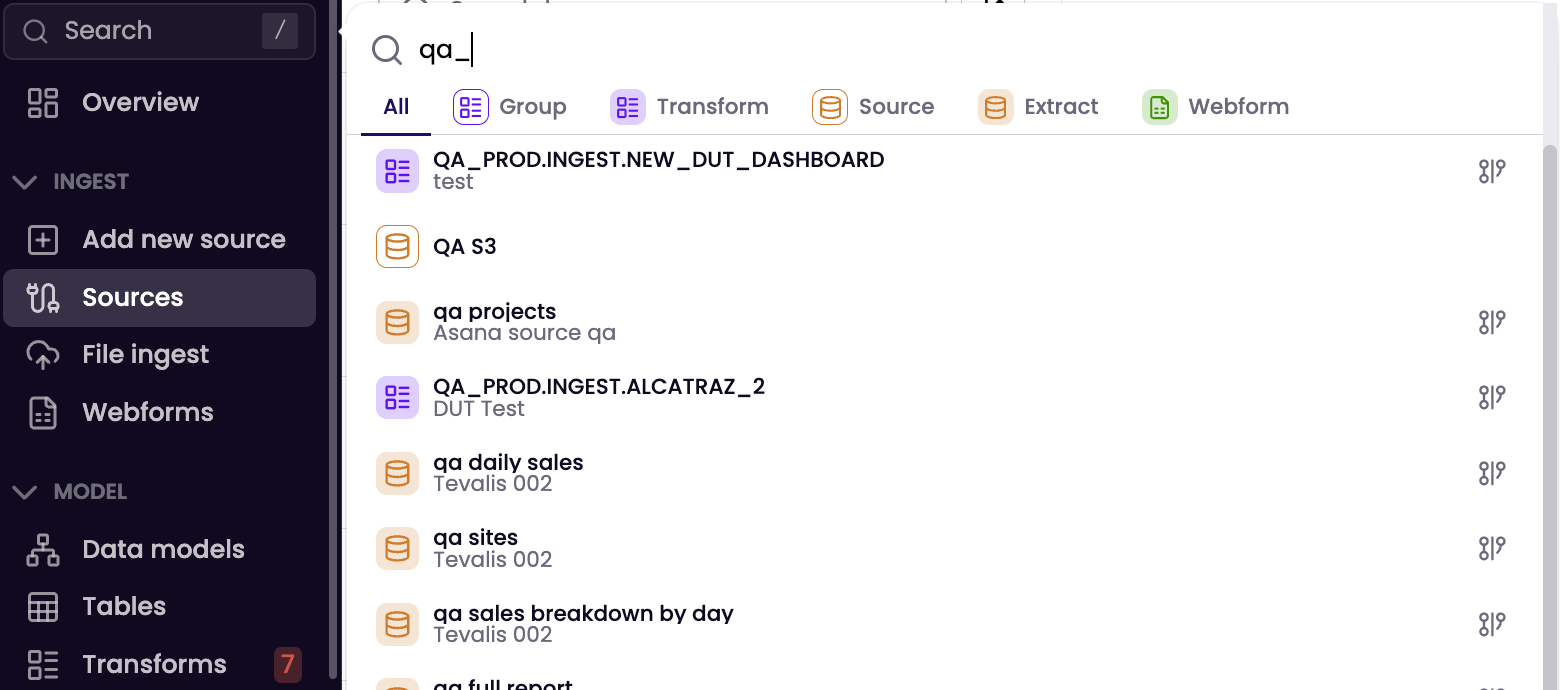
To search for entities
- Start typing the name (or part of the name) of what you're looking for
- Results appear as you type
- Each result shows:
- An icon indicating the entity type (transform, source, pipeline, etc.)
- The entity name
- A secondary identifier (e.g. tags, group name) to help you distinguish similar items
- Click a result to open or use icon on the right to open in the pipeline editor
Updated 4 months ago
Did this page help you?