
KAI Assistant
KAI Assistant is a chat-based interactive tool that can help with a variety of tasks across Kleene.
Enable KAI Assistant
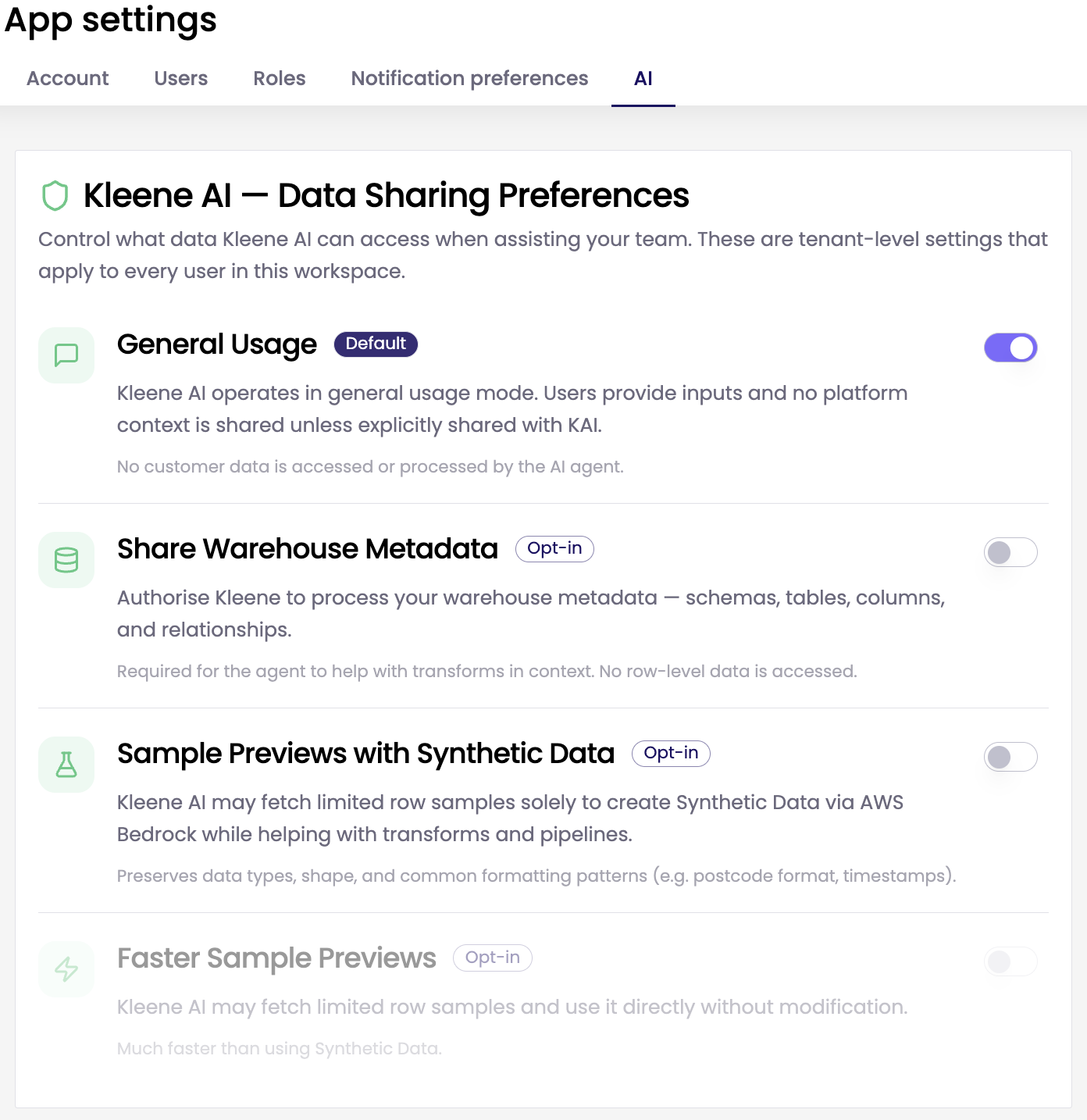
To enable KAI Assistant, navigate to the App Settings page and click the AI tab. Here you can enable KAI Assistant from the options available. KAI Assistant supports a range of tasks, including:
- Guidance: Answers questions about Kleene features, best practices, and data pipelines using relevant product documentation.
- Transform: Finds transforms, generates SQL from natural-language requests, creates new transform. Uses the active transform as context, presents proposed changes as a reviewable diff, and lets users insert the SQL into the editor or save it to Sandbox.
- Troubleshooting: Analyses transform SQL, execution logs, and error details to explain failures and propose fixes.
- Safety: Requires confirmation before creating or updating transforms and respects role-based permissions and Sandbox Write Access.
Accessing KAI Assistant
To access KAI, you can
a) Click the icon in the bottom right of any app page

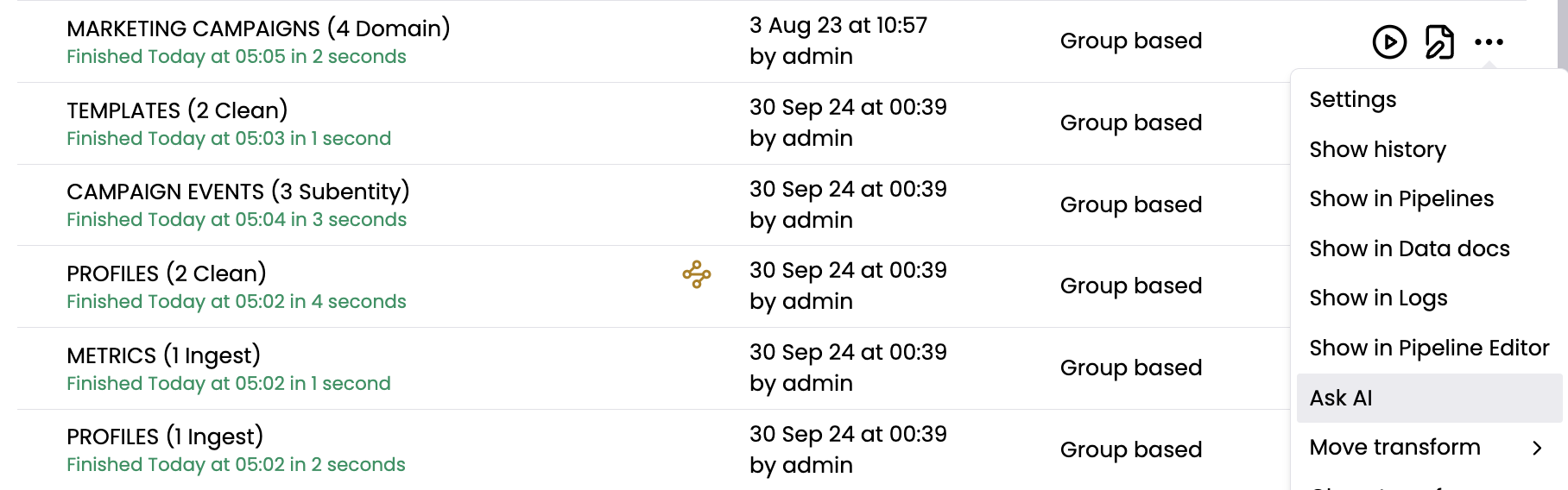
b) Click the ... menu on any transform and select Ask AI. This allows KAI to provide specific responses using the context of that individual transform
Prompt Best Practices
When using KAI, suggested prompts appear when the Assistant opens without an active conversation. These suggestions help you understand the types of prompts you can use and guide you toward useful answers or specific workflows.
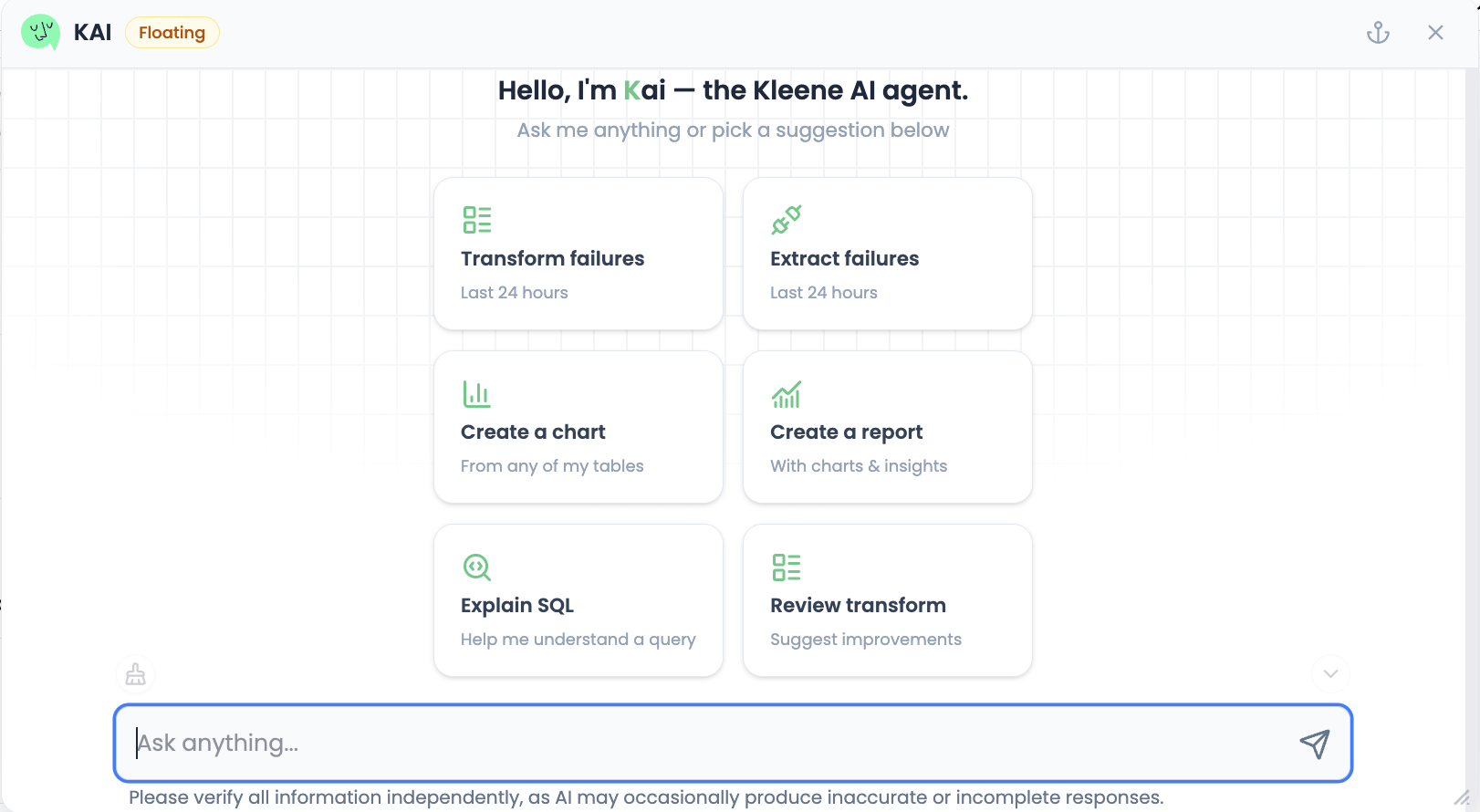
The more context and detail you provide, the more tailored and useful the responses will be. To maximise usefulness, provide more detailed prompts or ask for additional information.
KAI Assistant can offer practical advice, tips, and best practices for working in Kleene. For example:
- “How do I set up an Asana source?”
- “How do I optimise a transform schedule?”
FAQ
How does KAI access my data?
KAI can only access what you enable in the App Settings. You can use the toggles to control access to warehouse metadata and data previews.
What data is sent to the LLM?
This is dependent on what you ask KAI to do and which permissions are enabled.
- For general Q&A (e.g. product help), KAI uses documentation and your prompt.
- For transform, group, and log workflows, KAI may send relevant identifiers (e.g. transform names, error messages, and log snippets).
- For schema and preview workflows, KAI may send table schema and a small preview.
What are “synthetic previews”?
By default, when a preview is needed, Kleene generates synthetic sample data based on the database sample and removes sensitive fields such as PII, passwords, and credit card numbers. This means KAI can still help you troubleshoot and write SQL without sharing your raw table values.
What happens if I enable raw data previews?
If you enable Allow Raw Data in Previews, KAI can fetch and use raw table preview rows. This is faster than generating synthetic previews. Raw previews are not used for training, and they are not logged by third-party services.
Does Kleene store prompts and responses?
Yes, to help improve KAI (for example, debugging issues, quality monitoring).
In other words: your conversations may be stored by Kleene, but they are not used to train third party model.
Who can see the data?
Only authorised Kleene systems and the third-party model endpoints required to run KAI, and only within the permissions you enable. KAI uses Gemini via Google Vertex, and your data is not used to train the Gemini model.
For more details, you can find the full blog post here.
Updated about 1 month ago